System config

Typescript config
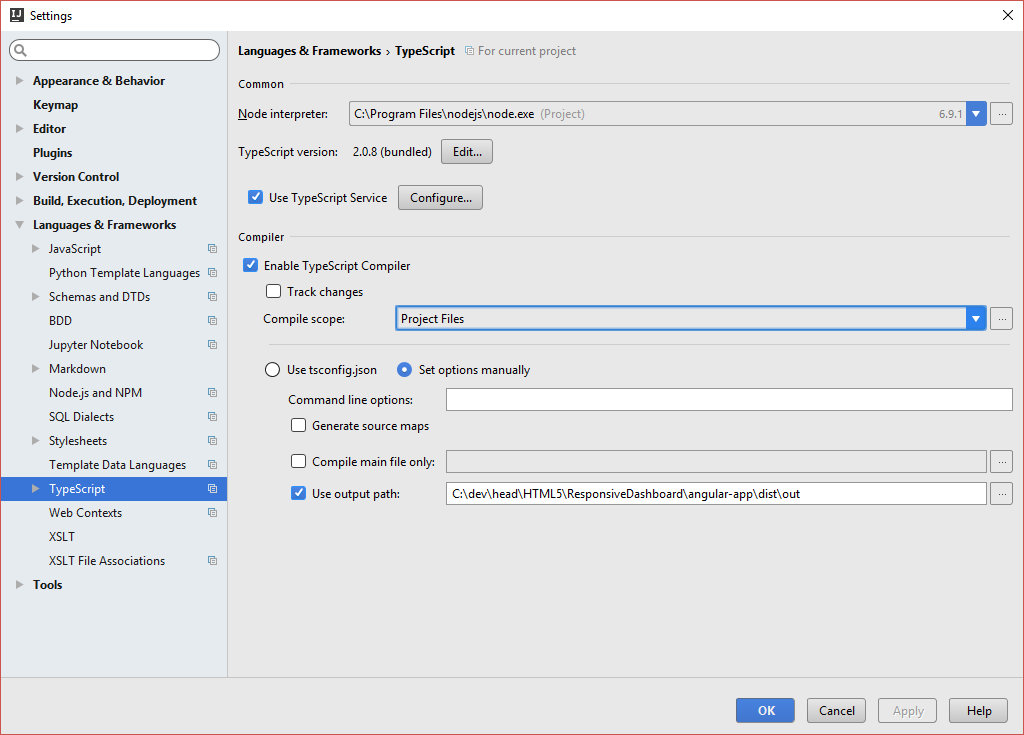
- Don't let IntelliJ compile, because it then generates non-necessary js files
- Still enable Typescript compiler but output to a dist directory, so that IntelliJ doesn't complaint about experimental annotation errors
Set up tslint to help getting your code right

Settings -> languages -> typescript -> tslint:
- enable
- tslint package: ... ResponsiveDashboard\angular-app\node_modules\tslint
- configuration file: auto search
Unit test config
Running typescript unit tests
in command line:
http://stackoverflow.com/questions/26977722/how-to-run-mocha-tests-written-in-typescript
npm install -g ts-node
npm install -g typescript
IntelliJ config
- At the moment Typescript debugging is not working in IntelliJ
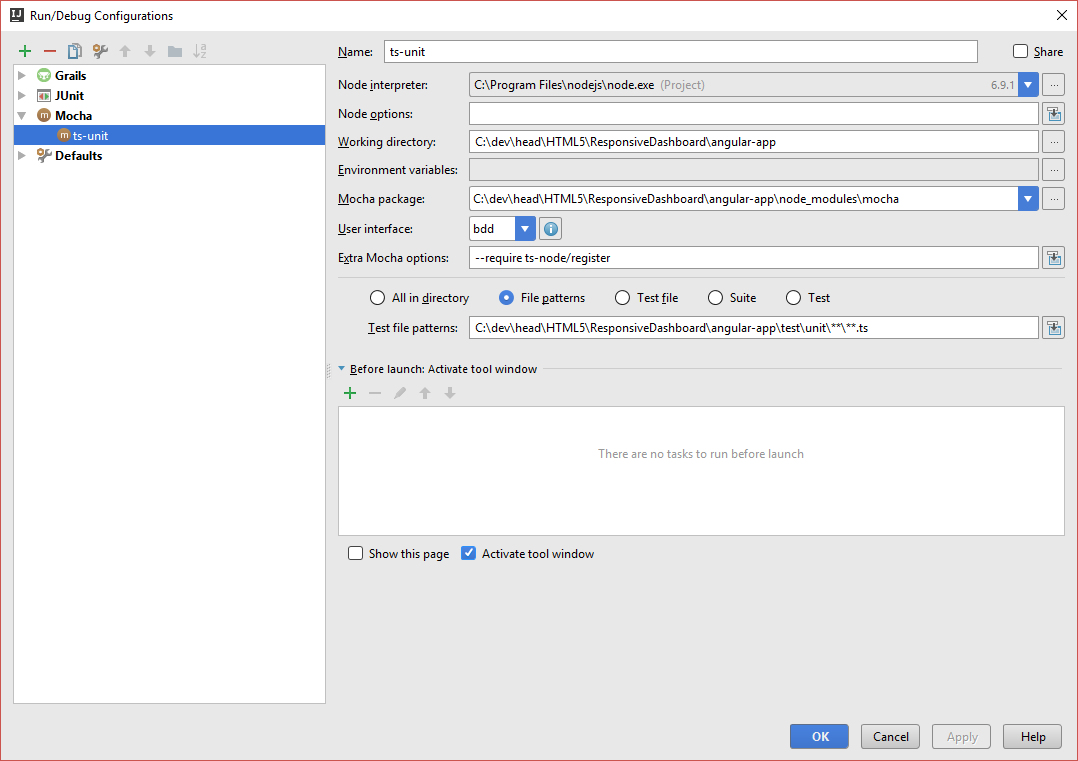
- Working directory: C:\dev\head\HTML5\ResponsiveDashboard\angular-app
- Mocha package: C:\dev\head\HTML5\ResponsiveDashboard\angular-app\node_modules\mocha
- Extra mocha options: --require ts-node/register
- Test file pattern
Excluded and test directories
- excluded: angular-app/dist
- test: angular-app/test/integration
- test: angular-app/test/unit